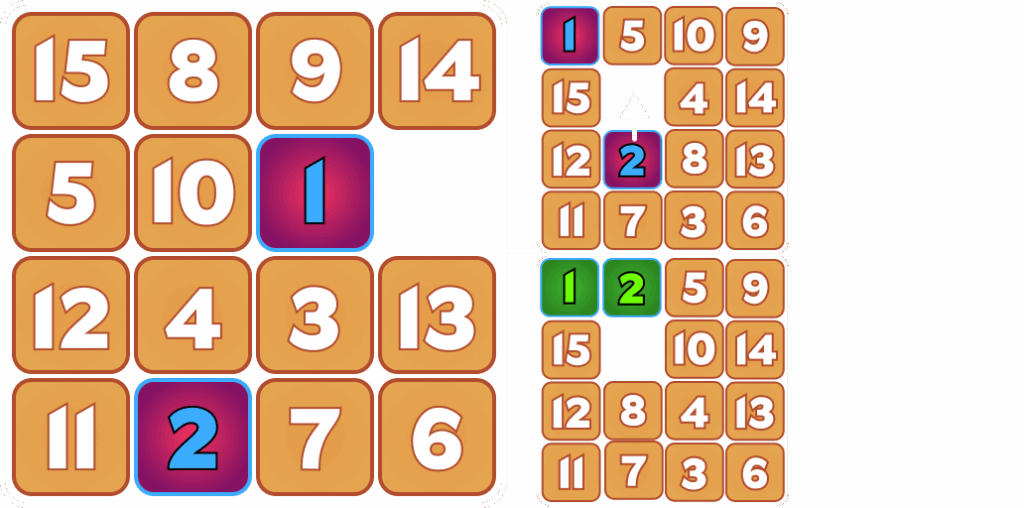
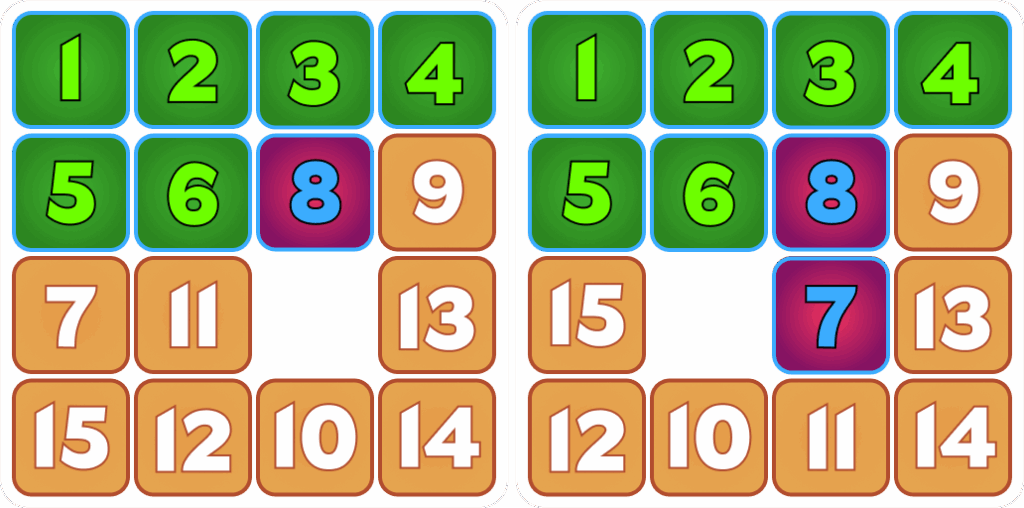
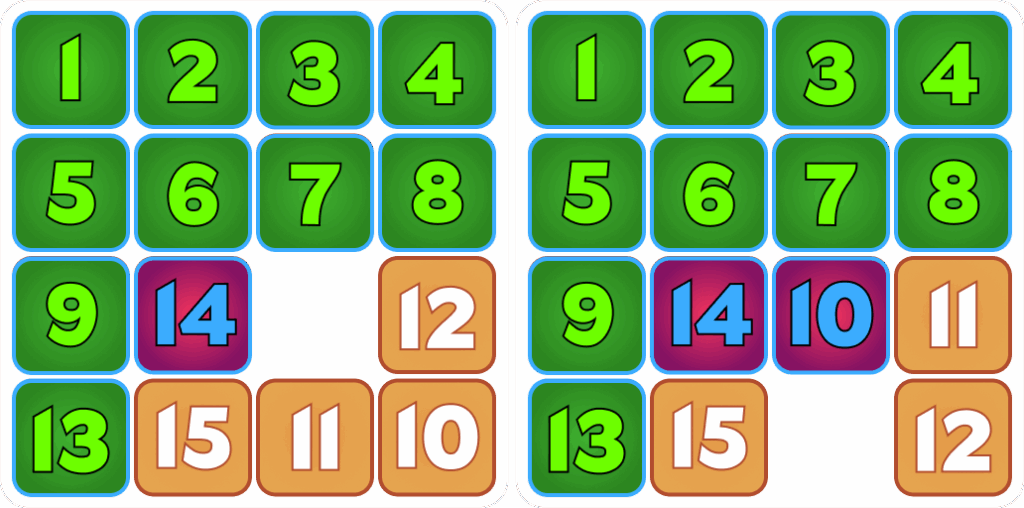
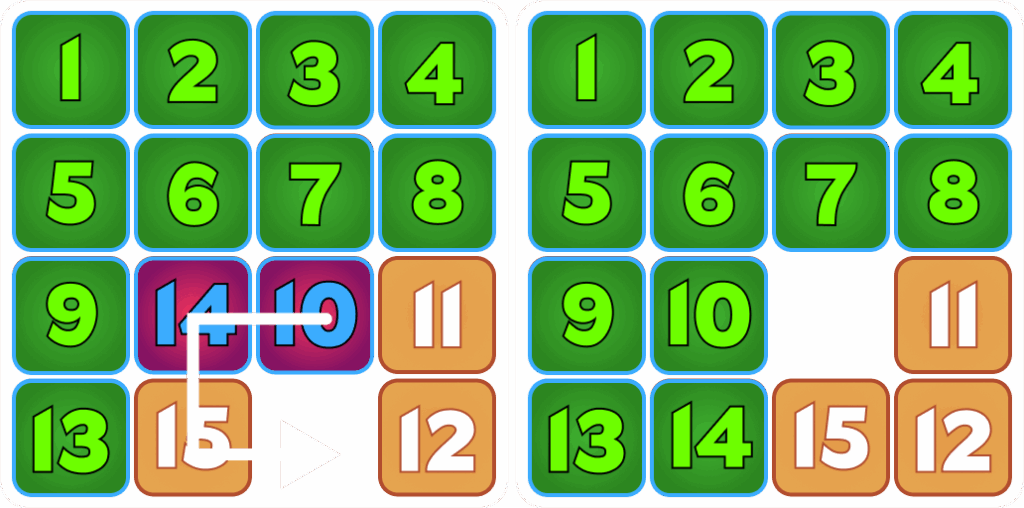
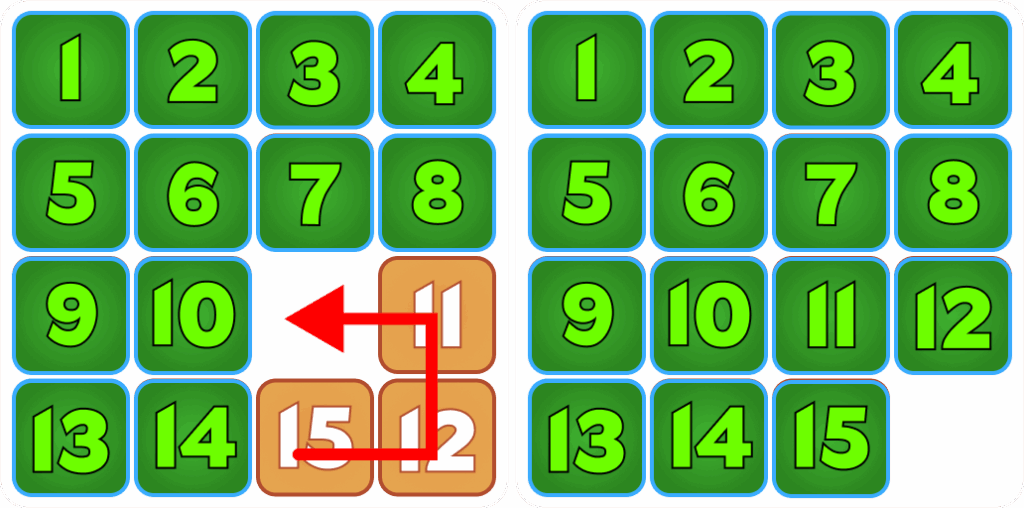
Step 1: Move the 1 Tile and the 2 Tile Into Their Final Positions
-Locate tiles 1 and 2. -Move the tiles so that the blank space is in the next position you want to move the tile to. -Move the tile into the blank space. -Repeat this process until tiles 1 and 2 are in the correct positions.
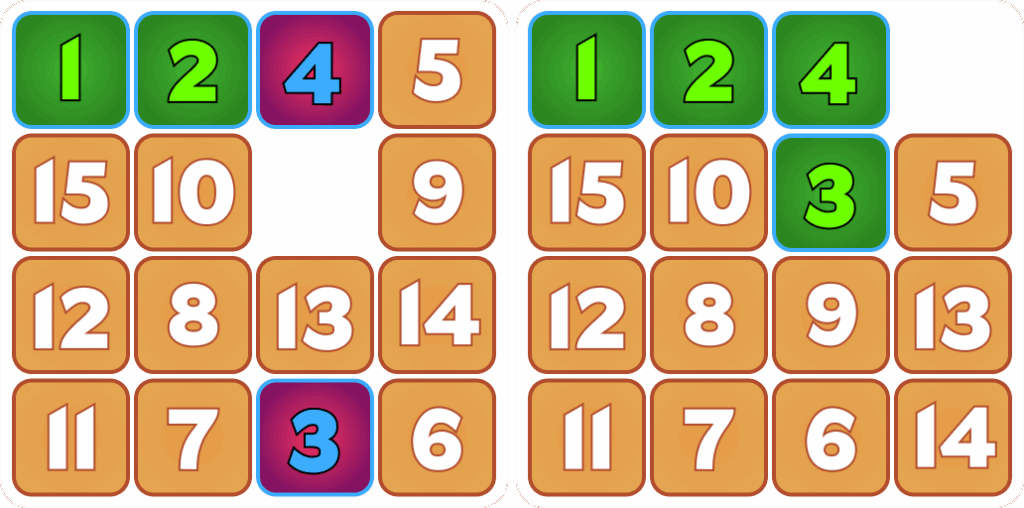
Step 2: Move Tiles 3 and 4 Into Setup Positions
-Move tile 4 into tile 3’s final position.
-Move tile 3 to be directly under tile 4
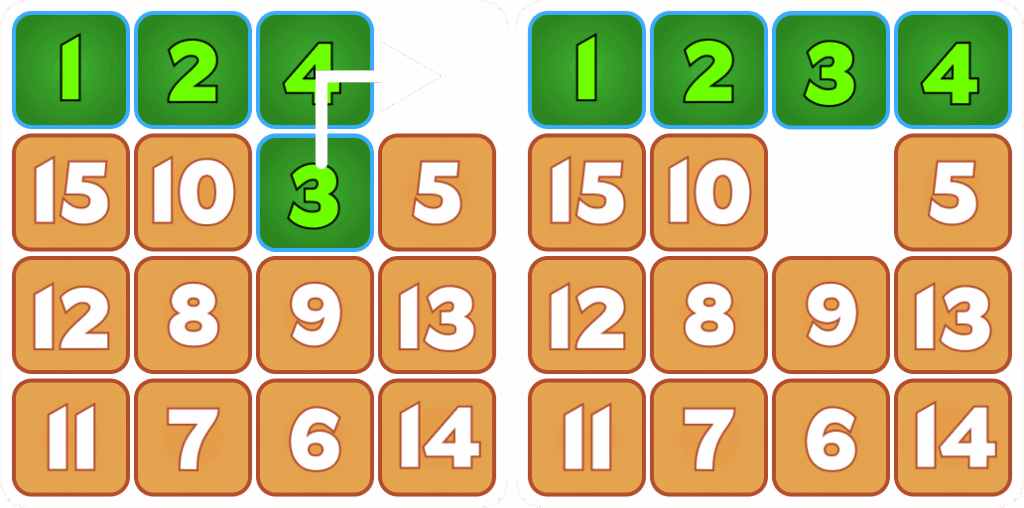
Step 3: Move Tiles 3 and 4 Into Final Position
-Move the blank square to the top right corner.
-Move tiles three and four like they are a snake so that they are both in their final positions.
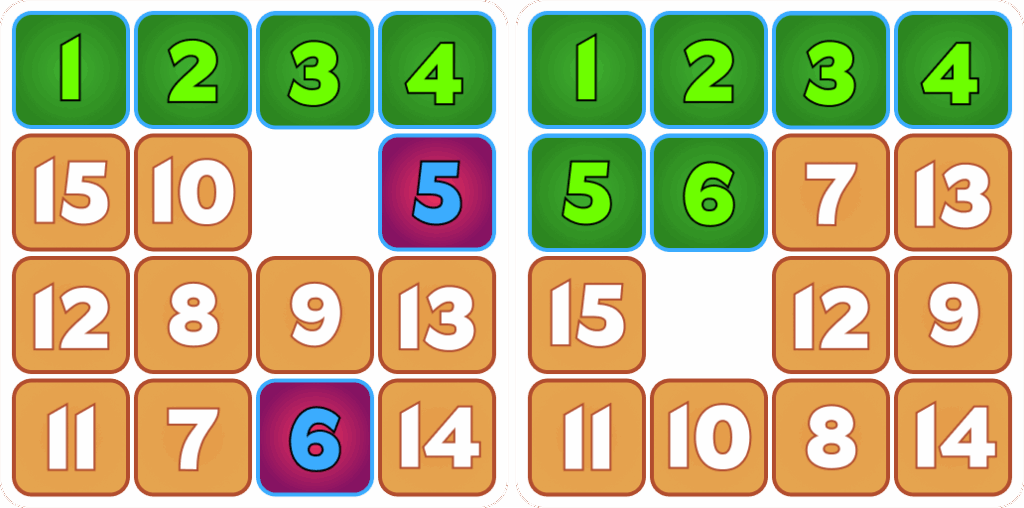
Step 4: Move Tiles 5 and 6 Into Final Position
-Locate tiles 5 and 6.
-Move tiles 5 and 6 to their final positions in a similar way that you moved tiles 1 and 2 into their final positions
Step 5: Move Tiles 7 and 8 Into Setup Positions
-Move tile 8 into the final position of tile 7.
-Move tile 7 to be directly under tile 8.
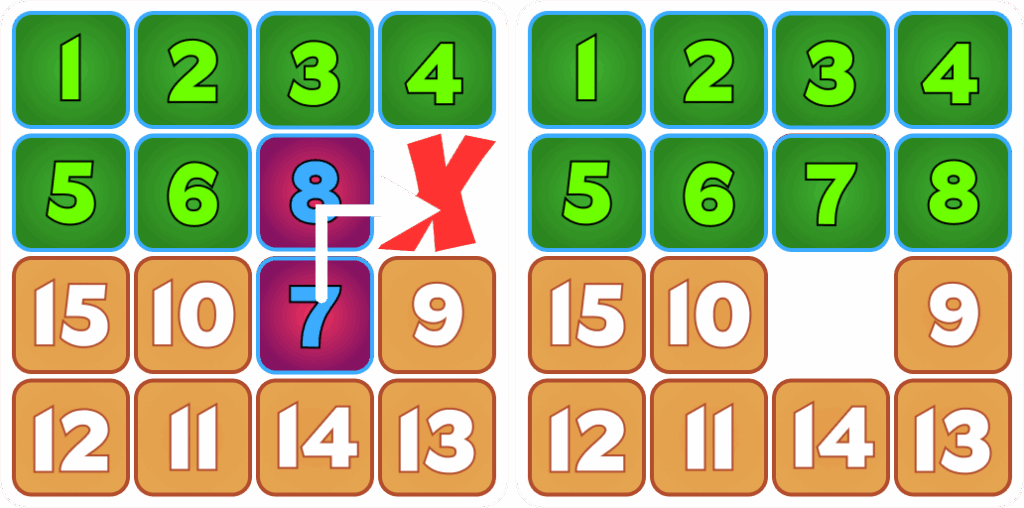
Step 6: Move Tiles 7 and 8 Into Final Positions
-Move the blank space to be on the right hand side of tile 8.
-Move tiles 8 and 7 like a snake into their final positions.
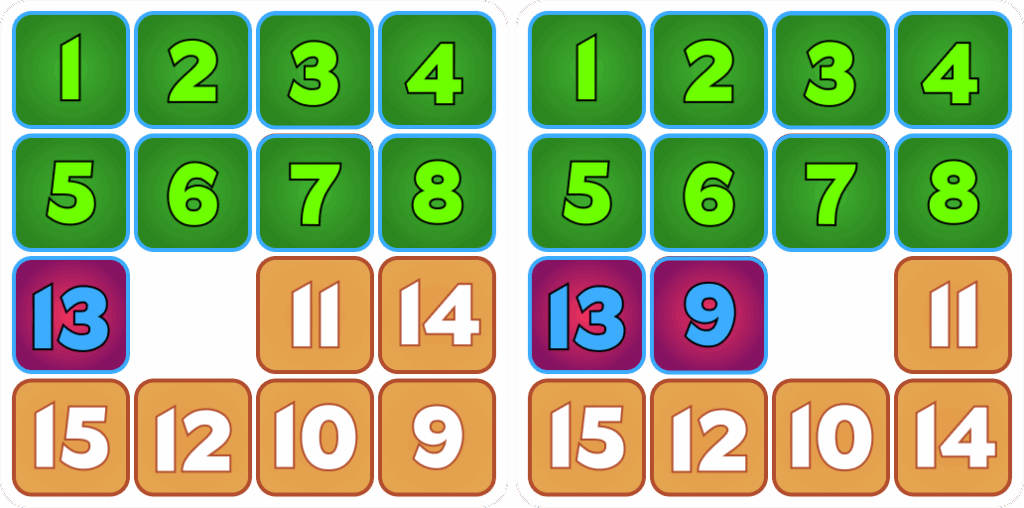
Step 7: Move Tiles 13 and 9 Into Setup Positions
-Move tile 13 to be in tile 9’s final position.
-Move tile 9 to be directly to the right of tile 13.
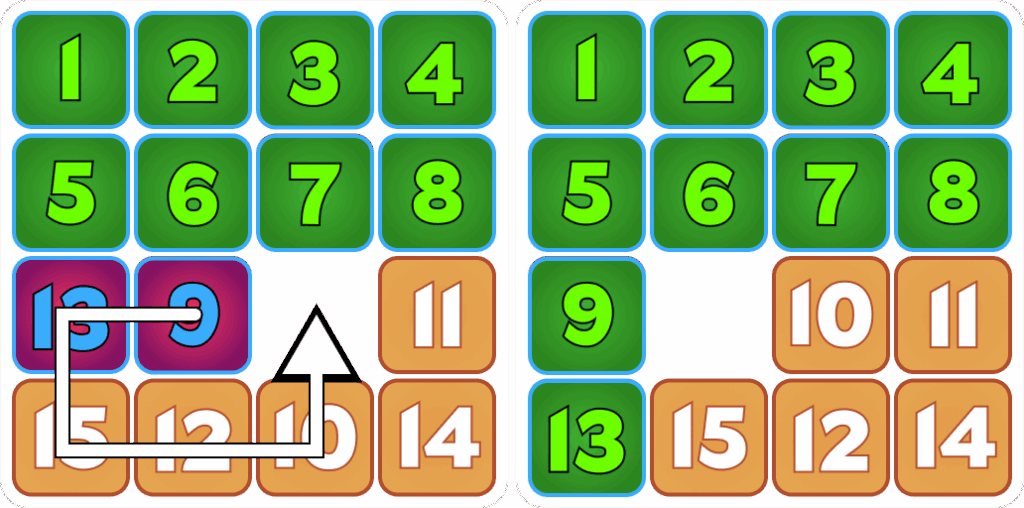
Step 8: Move Tiles 13 and 9 Into Final Positions
-Rotate the 5 tiles in the bottom left of the board counter clockwise like a snake until tiles 13 and 9 are in their final positions.
Step 9: Move Tiles 14 and 10 Into Setup Positions
-Move tile 14 to the right of tile 9 so that it is in tile 10’s final position.
-Move tile 10 to be directly to the right of tile 14.
Step 10: Move Tiles 14 and 10 Into Their Final Positions
-Rotate the three tiles in the middle two columns on the bottom two rows counter clockwise like a snake until tiles 14 and 10 are in their final positions.
Step 11: Completing the Puzzle
-Rotate tiles 11, 12, and 15 either clockwise or counter clockwise until they are all in the correct positions